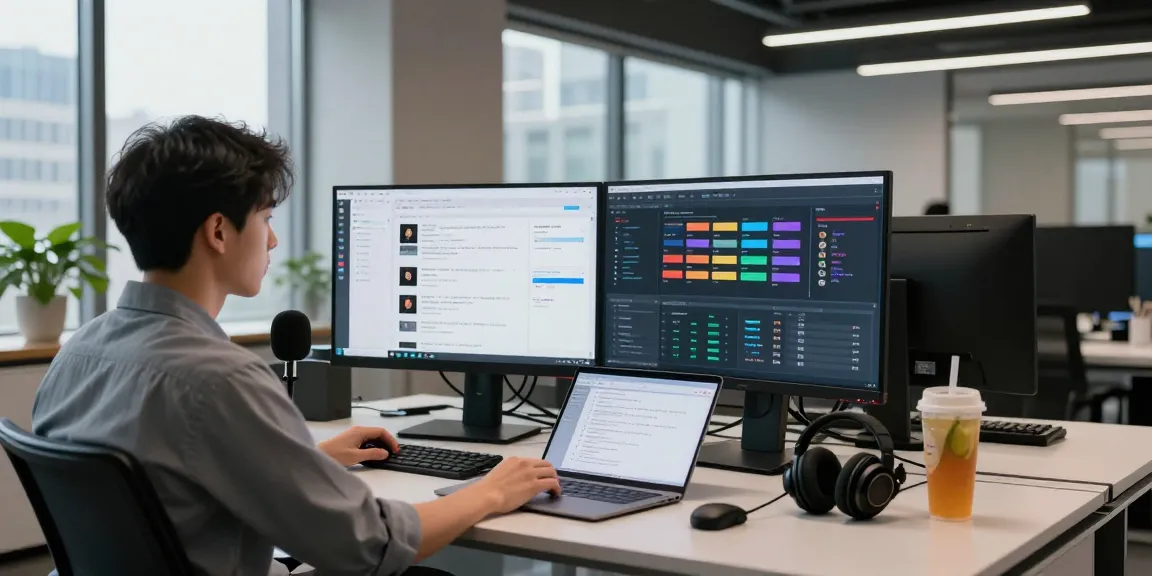
Understanding Computer Repair Essentials
In today's technology-driven world, computers play a vital role in both personal and professional spheres, making computer repair an essential service. With the increasing sophistication of hardware and software, understanding the fundamentals of computer repair is crucial for users and professionals alike. This section delves into the definition of computer repair, common issues faced, and the benefits of seeking professional services.
What is Computer Repair?
Computer repair refers to the process of diagnosing, troubleshooting, and resolving issues that hinder a computer's performance. This can encompass anything from hardware failures, such as a malfunctioning hard drive, to software problems like virus infections. Computer repair services can be performed by professionals or undertaken by individuals with sufficient technical skills. A comprehensive approach often involves both hardware and software solutions.
Common Issues Needing Computer Repair
Users experience a variety of issues that necessitate computer repair, including but not limited to:
- Slow Performance: Over time, computers may become sluggish due to software bloat, too many startup programs, and fragmented hard drives.
- Virus and Malware Infections: Malware can compromise system integrity, leading to data loss and compromised personal information.
- Hardware Failures: Components such as hard drives, RAM, and power supplies may fail due to age, manufacturing defects, or user mishandling.
- Software Crashes: Applications may crash or freeze unexpectedly due to compatibility issues, corrupted files, or inadequate resources.
- Data Loss: Incidents such as accidental deletion, hardware failure, or corruption can lead to significant data loss, necessitating recovery services.
Benefits of Professional Computer Repair
Opting for professional computer repair services provides numerous advantages:
- Expertise: Professionals bring advanced knowledge and experience, ensuring faster and more effective problem resolution.
- Time-Saving: Professional services can diagnose and repair issues much more quickly than most individuals can on their own.
- Warranty Protection: Reputable service providers often offer warranties on their work, assuring clients of service quality.
- Data Security: Professionals follow best practices to protect sensitive information, minimizing the risk of data breaches during repairs.
Diagnosing Computer Problems Effectively
Effective diagnosis is pivotal in the computer repair process. Understanding how to identify issues can facilitate timely repairs and minimize downtime. This section outlines the steps necessary for diagnosing problems, the tools useful in diagnostics, and when to seek professional help.
Steps for Identifying Issues
Diagnosing computer problems typically involves several key steps:
- Gather Information: Start by asking the user about symptoms, error messages, and recent changes to the system. This can help pinpoint the issue.
- Perform Basic Checks: Inspect hardware connections, check power sources, and ensure there are no obvious external damages.
- Boot in Safe Mode: This step can help determine if problems are caused by software conflicts or hardware failures.
- Run Diagnostic Tools: Utilize built-in tools such as Disk Utility or third-party applications to search for hardware malfunctions or system errors.
Tools and Software for Diagnostics
Various tools are available to assist in diagnosing computer issues:
- System Monitoring Software: Tools like HWMonitor and CPU-Z provide real-time insights into system performance and can identify overheating or hardware failures.
- Antivirus Programs: Running comprehensive system scans with reliable antivirus software can detect and remove malware infections.
- Disk Management Tools: Applications like CrystalDiskInfo can monitor the health of hard drives and detect potential failures.
- Event Viewer: This built-in Windows tool can provide logs of system errors and warnings, offering clues about hardware or software issues.
When to Seek Help for Computer Repair
Although many issues can be resolved independently, there are situations when it is wise to consult a professional:
- If the problem is hardware-related and requires component replacement.
- When data recovery is necessary, especially if important files are at risk.
- If multiple attempts to troubleshoot have failed or if the issue persists.
- When a user lacks confidence or expertise in handling technical problems.
Best Practices for Computer Maintenance
Prevention is often the best approach when it comes to computer issues. By adopting routine maintenance practices, users can significantly extend the lifespan of their computers and improve overall performance. This section covers essential maintenance practices, including routine cleaning, protecting against malware, and ensuring data backups are routinely performed.
Routine Cleaning and Updates
Regular cleaning of a computer's external and internal components can prevent heat buildup and dust accumulation that leads to hardware failures. Best practices include:
- External Cleaning: Use microfiber cloths to clean screens and surfaces. Regularly wipe down peripherals such as keyboards and mice.
- Internal Cleaning: Periodically open the case (for desktop computers) to remove dust from components using compressed air.
- Software Updates: Ensure that the operating system and applications are updated to the latest versions to fix bugs and patch security vulnerabilities.
Protecting Against Malware and Viruses
Implementing robust security measures is crucial for safeguarding computer systems. Consider the following:
- Install Reliable Antivirus Software: Choose a reputable antivirus program that offers real-time protection and performs regular scans.
- Enable Firewall: Make sure the computer’s firewall is active to help block unauthorized access and potential threats.
- Practice Safe Browsing: Avoid suspicious websites and be cautious when downloading files or clicking links in emails.
Creating Backups for Safety
Data backups are vital for preventing data loss. Important steps include:
- Utilize Cloud Storage: Services like Google Drive or Dropbox can securely store files and documents offsite.
- External Hard Drives: Regularly back up data to external hard drives to have an additional physical copy available.
- Automate Backup Processes: Set up automatic backup schedules to ensure that data is consistently protected without manual intervention.
Choosing the Right Computer Repair Service
Identifying a competent computer repair service can be vital for effective resolution of issues. This section outlines essential criteria for selecting a repair service, including what to look for, questions to ask, and an understanding of service guarantees.
What to Look for in a Repair Service
When selecting a computer repair service, consider the following factors:
- Experience and Expertise: Look for a provider with established experience in dealing with similar issues.
- Reputation: Read customer reviews and testimonials to gauge the quality and reliability of the service.
- Certifications: Ensure that technicians are certified and possess relevant qualifications.
- Pricing and Transparency: Obtain quotes and understand pricing structures fully before committing.
Questions to Ask Your Repair Technician
Before proceeding with repairs, ask your technician the following questions to ensure clarity and confidence:
- What is the estimated time required for repairs?
- Will you provide a detailed diagnosis before any work is done?
- What warranties or guarantees do you offer on the repair job?
- What are the potential costs, and how are they determined?
Understanding Service Guarantees and Warranties
Before entrusting your device to a repair service, it’s essential to understand their policies on guarantees and warranties:
- Service Guarantees: These ensure that a technician will fix the problem as promised, often with follow-up support.
- Warranties on Parts: Check whether replacement parts come with a warranty, which can protect you against future failure of components.
- Terms of Service: Be aware of the conditions under which service guarantees are valid.
Future Trends in Computer Repair
The landscape of computer repair is continuously evolving. Understanding upcoming trends can help individuals anticipate changes in technology and repair practices. This section examines emerging technologies and the growing role of remote repair services, alongside preparations needed for advances in computer technology.
Emerging Technologies in Computer Repair
As technology advances, new tools and methodologies are being developed for computer repair:
- Artificial Intelligence: AI-driven diagnostics can enhance the efficiency of problem identification and troubleshooting processes.
- 3D Printing: This technology can create spare parts on-demand, making repairs faster and more cost-effective.
- Augmented Reality: AR applications can assist technicians in repairs by overlaying visual instructions directly onto physical devices.
The Impact of Remote Repair Services
Remote repair services have become increasingly popular due to their convenience and efficiency:
- Accessibility: Customers can receive immediate assistance without needing to travel to a service centre.
- Cost-Effective: Remote services often reduce costs associated with physical repairs.
- Quick Resolution: Many issues can be resolved in real-time, minimizing downtime for users.
Preparing for Advancements in Computer Technology
Continuous learning is essential for staying ahead in the rapidly changing field of computer repair. Steps to prepare include:
- Continuous Training: Technicians should regularly update their skills through courses and certifications.
- Staying Informed: Keeping abreast of the latest technological developments and best practices can aid in more effective repairs.
- Investing in Tools: Embracing new tools and technologies can increase efficiency and improve service quality.